How it Works
Understand how to Swap between currencies on Kingdomonero in just a few steps.
Select the Currencies to Swap
Press the Coin Selector to select the currency you want to deposit and also for the currency you want to receive.
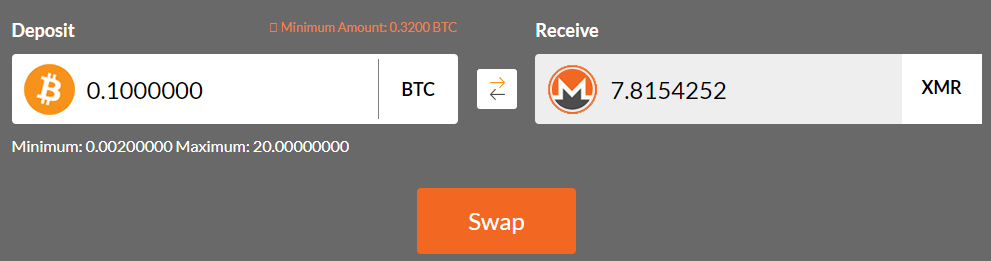
Enter Deposit Amount
In the Deposit field, enter the amount you would like to deposit. The amount you are estimated to receive will be displayed in the Receive field.
Click Swap to proceed to the next step.
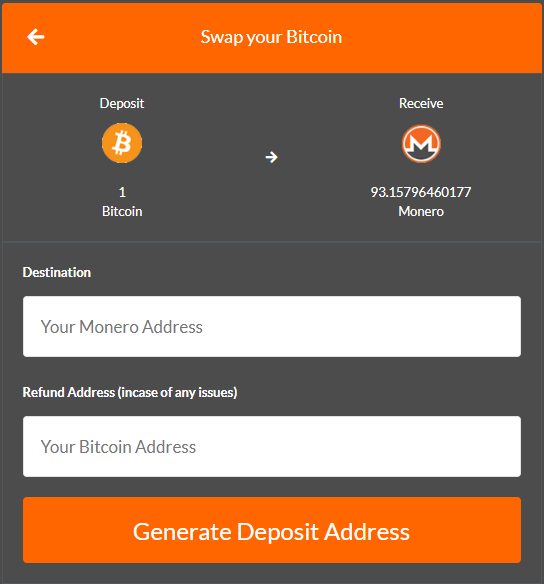
Enter Your Destination & Refund Address
The destination address is where we should send your funds once the Swap has completed.
The refund address is where we should return your deposit should anything go wrong with your Swap.
Once you have verified the addresses you have entered, click Generate Deposit Address to proceed.
Deposit Your Funds
Once your Swap has finished preparing, you will be presented with a deposit address.
Send the amount of Currency displayed to the address generated for you to begin the Swap.
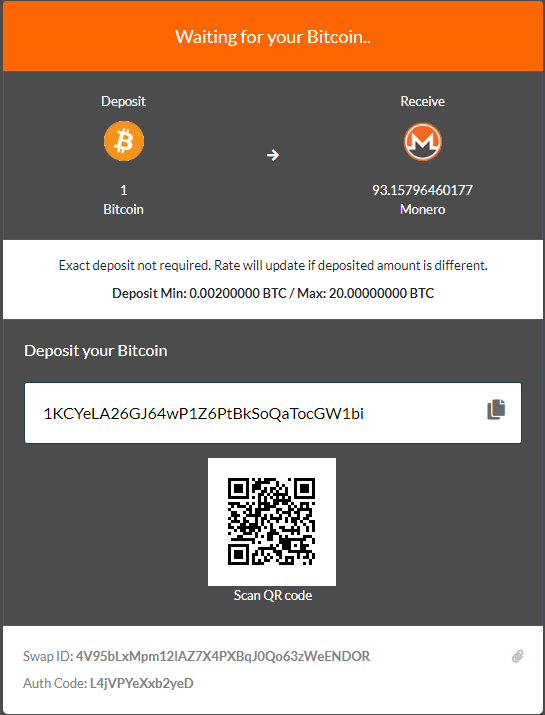
Once on the above page, please take note of your Swap ID and Auth Code. You will need these should you require any assistance from our support team.
It is advised to copy and paste these details somewhere safe. We also recommend temporarily bookmarking the page you are currently on to directly access this Swap again.
It is advised to copy and paste these details somewhere safe. We also recommend temporarily bookmarking the page you are currently on to directly access this Swap again.
Sit back and wait for your Swap to Complete
Once we can see your deposit, the page will update and show the current status of your Swap.
Once the confirmation requirements have been met, we will make the Swap and send your coins to you.